The modern workplace experience.
WorkMate is the first workplace management system to combine out-of-the-box simplicity with enterprise-level configuration & scalability. Manage bookings, visitors, and wayfinding with a seamless mobile-first UX and automation in the background. WorkMate integrates with AI agents — hosted by us or connected to your existing AI stack — so your workplace assistant can book rooms, answer questions, and automate tasks using real building data.
As a packaged product, you can build your own scope and quote in under 3 minutes.
Your workplace at a glance.
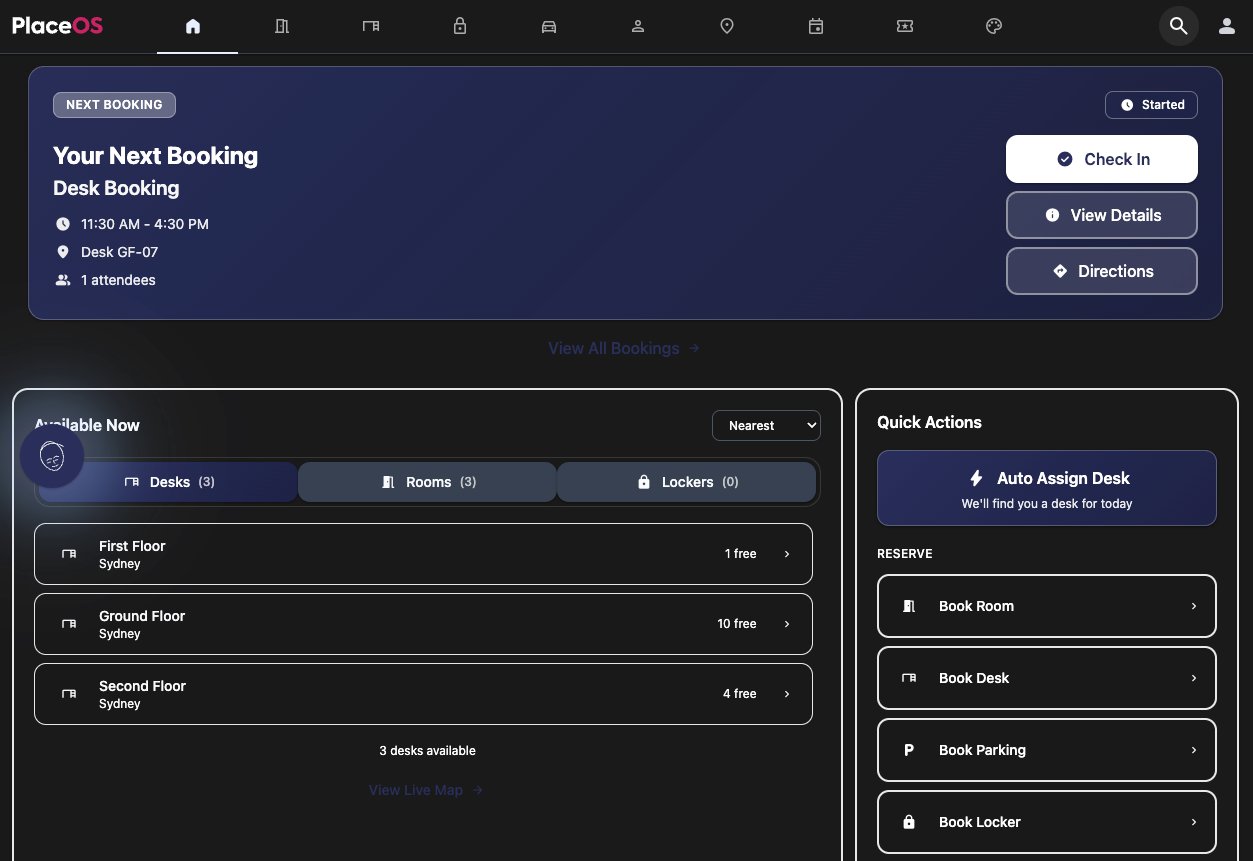
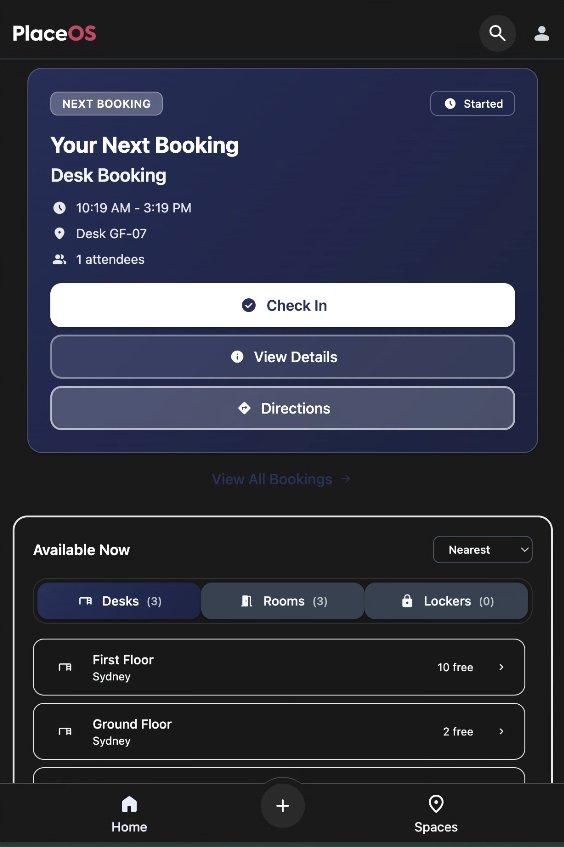
The WorkMate landing page gives employees a personalised dashboard showing upcoming bookings, real-time space availability, and quick actions — all in a single, intuitive view.
Next meeting & quick actions
A prominent hero card shows your next meeting or booking with one-tap check-in, directions via indoor wayfinding, and full booking details. Quick action buttons let you auto-assign a desk, book a room, or find a space instantly.
- One-tap check-in for meetings, desks, and lockers
- View indoor directions to your booked space
- Auto-assign a desk with smart neighbourhood matching
- See upcoming booking count at a glance
Real-time availability
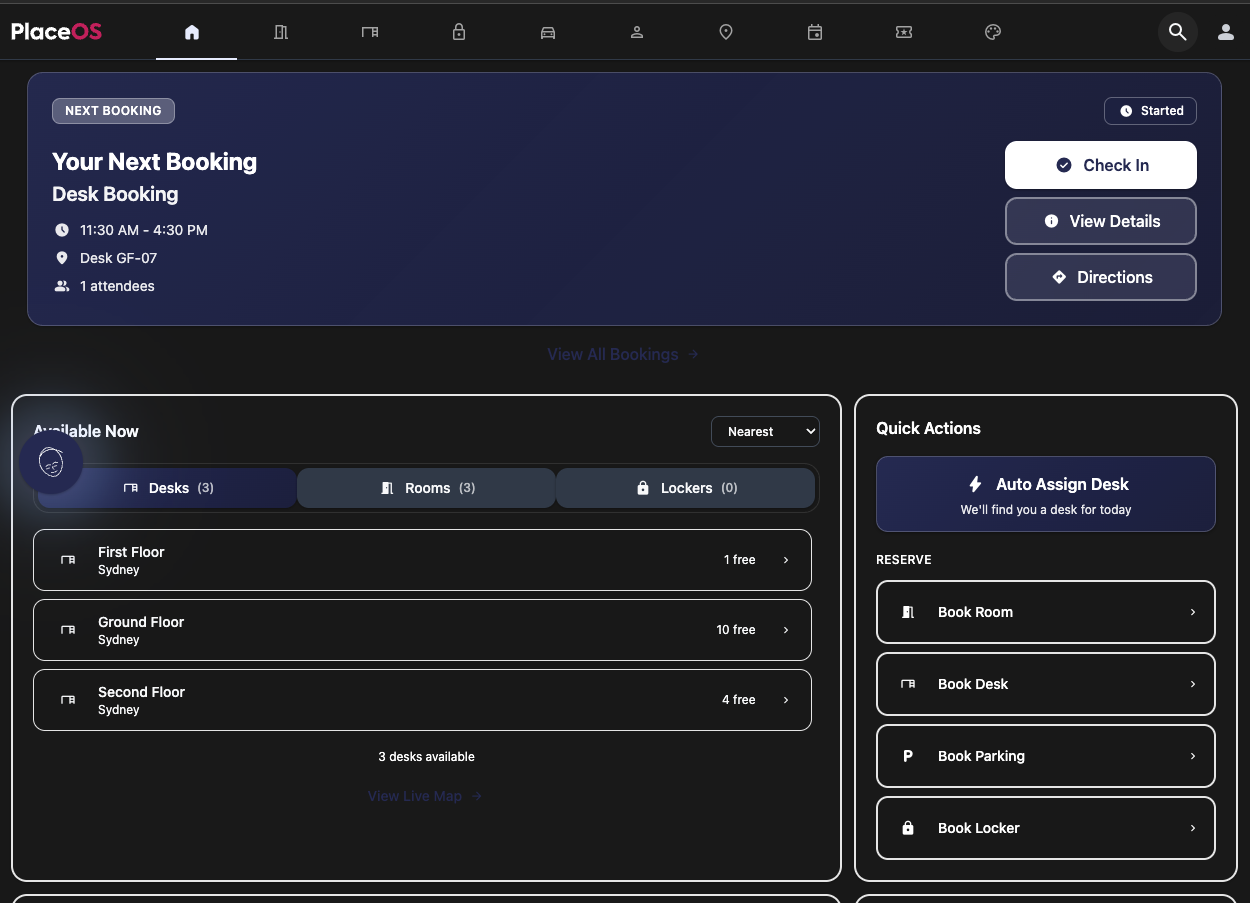
The “Available Now” panel shows live desk, room, and locker availability across all floors and buildings, sorted by nearest location. A live map link takes employees straight to the interactive floor plan.
- Filter by Desks, Rooms, or Lockers
- Sort by nearest location or availability
- See free count per floor and building
- Jump directly to the live interactive map
Weekly schedule & colleagues
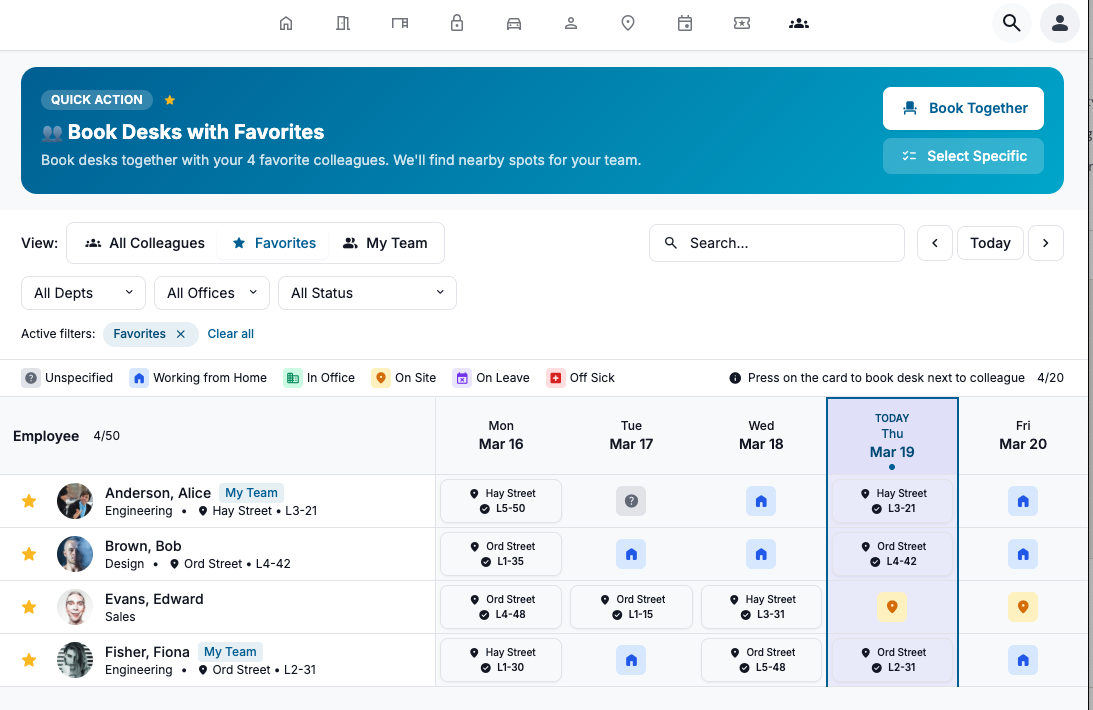
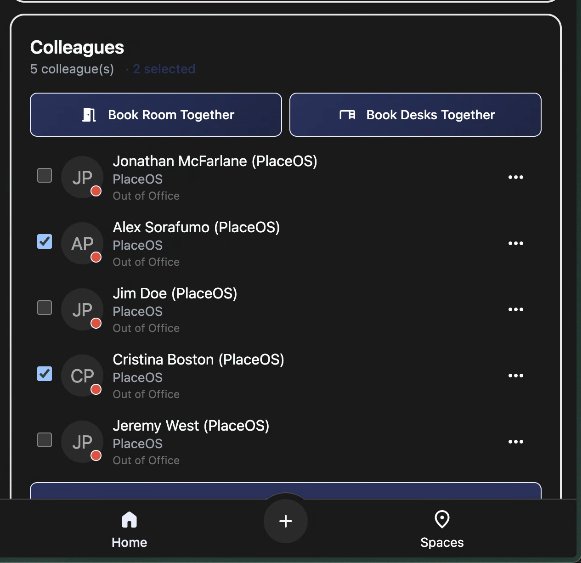
A weekly desk booking strip shows where you’re booked across the week with location and desk ID. The colleagues panel lets you favourite team members and book desks together with one tap.
- Weekly desk booking view with location details
- Favourite colleagues for quick team coordination
- “Book Together” to find nearby desks for your team
- Save favourite spaces for repeat booking
Book anything, effortlessly.
WorkMate provides purpose-built booking flows for every resource type — from meeting rooms and desks to parking bays and lockers — each designed for the fastest path to confirmation.
Room Booking
A guided three-step wizard walks users through meeting details, room selection, and confirmation with optional catering and asset requests.
- Set title, date, time, and duration
- Filter by attendee count (1–2, 3–4, 5–8, 9+)
- Search available rooms across all buildings
- Add catering and AV asset requests
Desk Booking
Book a single desk, a group of desks for your team, or delegate a booking for a colleague. Smart auto-assign finds the best desk in your home neighbourhood.
- Single, Group, or Book-for-Other modes
- All Day, All Week, or All Fortnight quick options
- Recurrence rules for regular hybrid schedules
- Optional locker pairing with desk booking
Parking
Request parking in advance with support for standard, special needs, and after-hours access. Shift-based scheduling ensures the right bays are available at the right time.
- Standard, P2 Special Needs, or After-hours access
- Shift selection (day worker, night shift, etc.)
- Location and level preferences
- Recurrence and approval workflows
Locker Booking
Reserve a locker by building, date, and time — standalone or paired automatically with your desk booking for a seamless arrival experience.
- Select building and date
- Full or half-day options
- Auto-pair with desk bookings
- All-day or time-bounded reservations
Visitor Management
Invite visitors with a name, email, date, time, and reason for visit. Bulk upload via CSV for events. Visitors receive automated welcome emails with QR codes for fast kiosk check-in.
- Search by name or email to invite
- Add external visitors or bulk-upload via CSV
- Automated welcome emails with QR codes
- Kiosk check-in with badge printing
Events
Browse and manage group events with calendar views by week or month. Filters let employees find relevant events and register attendance.
- Week and month calendar views
- Filterable event categories
- Date range selection
- Event registration and tracking
Smart auto-assign
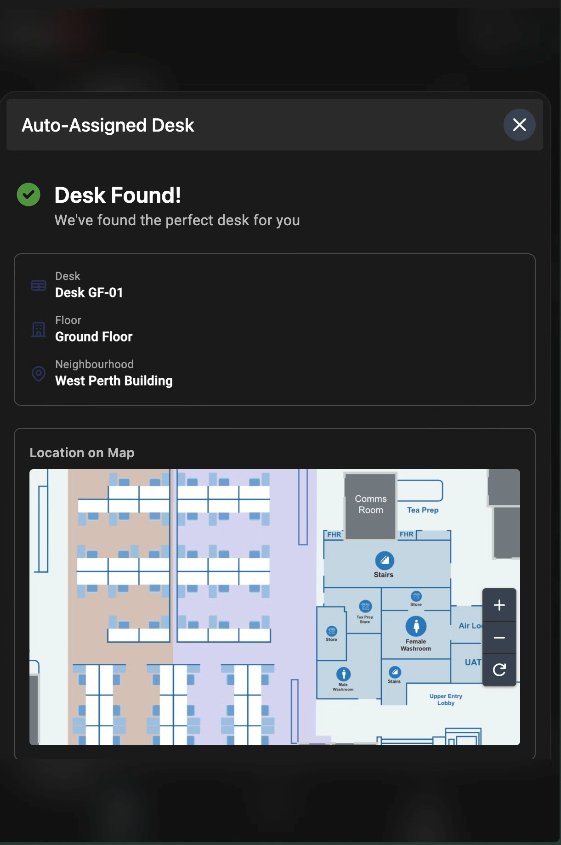
Can’t decide where to sit? Auto-assign finds the best available desk in your preferred neighbourhood, shows you exactly where it is on the floor plan, and confirms the booking instantly.
- One-tap auto-assign from the dashboard
- Visual confirmation with floor map location
- Neighbourhood-aware desk matching
- Instant booking with desk ID and floor details
See your workplace in real time.
Interactive floor plans and team schedule views give employees and managers full visibility into who is where, what’s available, and how the workplace is being used.
Interactive floor plans
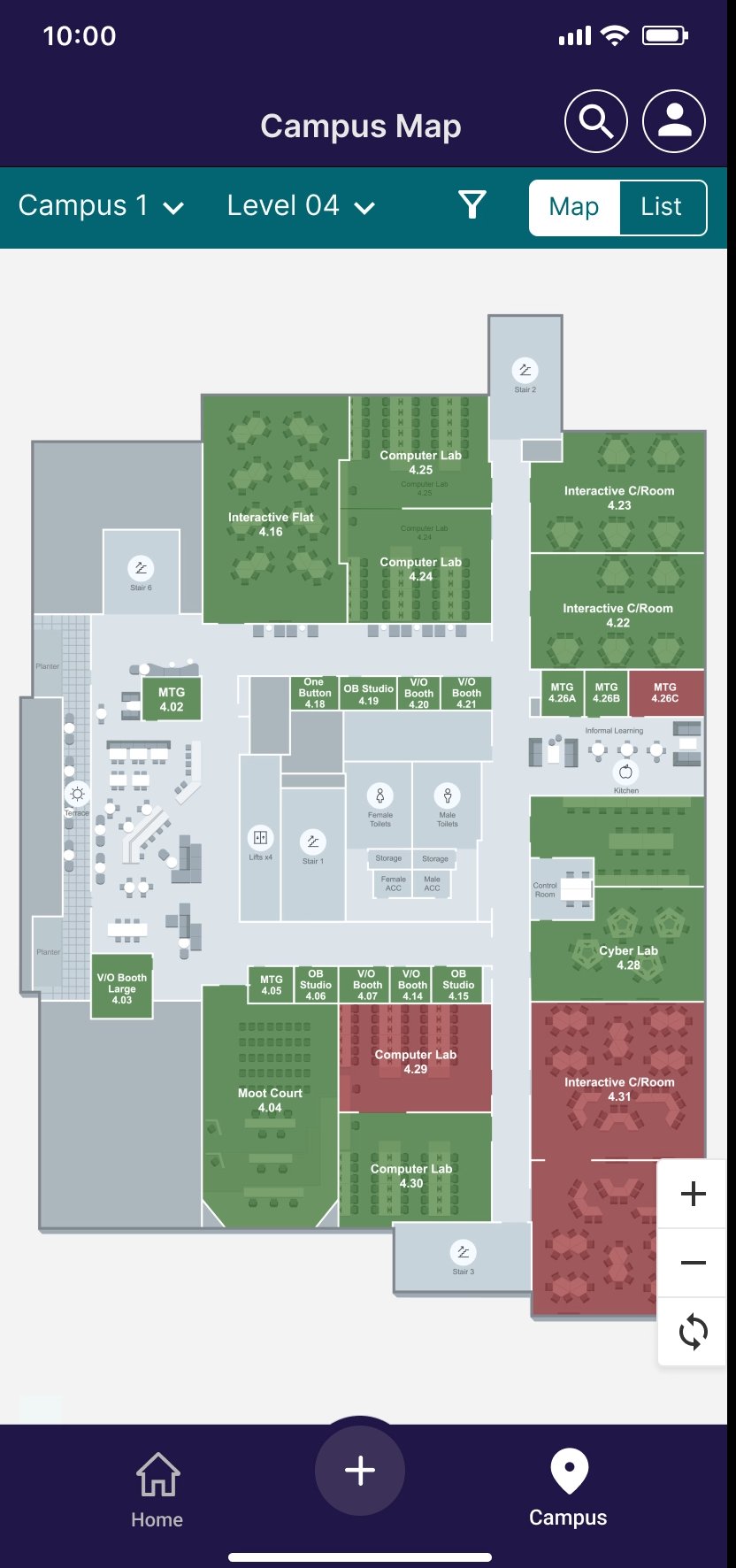
Zoomable SVG floor plans show live desk and room availability colour-coded by status. Select a building and floor to see the current state of every bookable space, with a legend showing available vs in-use.
- Building and floor selection dropdowns
- Colour-coded availability (green = available, red = in use)
- Zoom and pan controls for large floor plates
- Click any space to book it on the spot
Team schedule
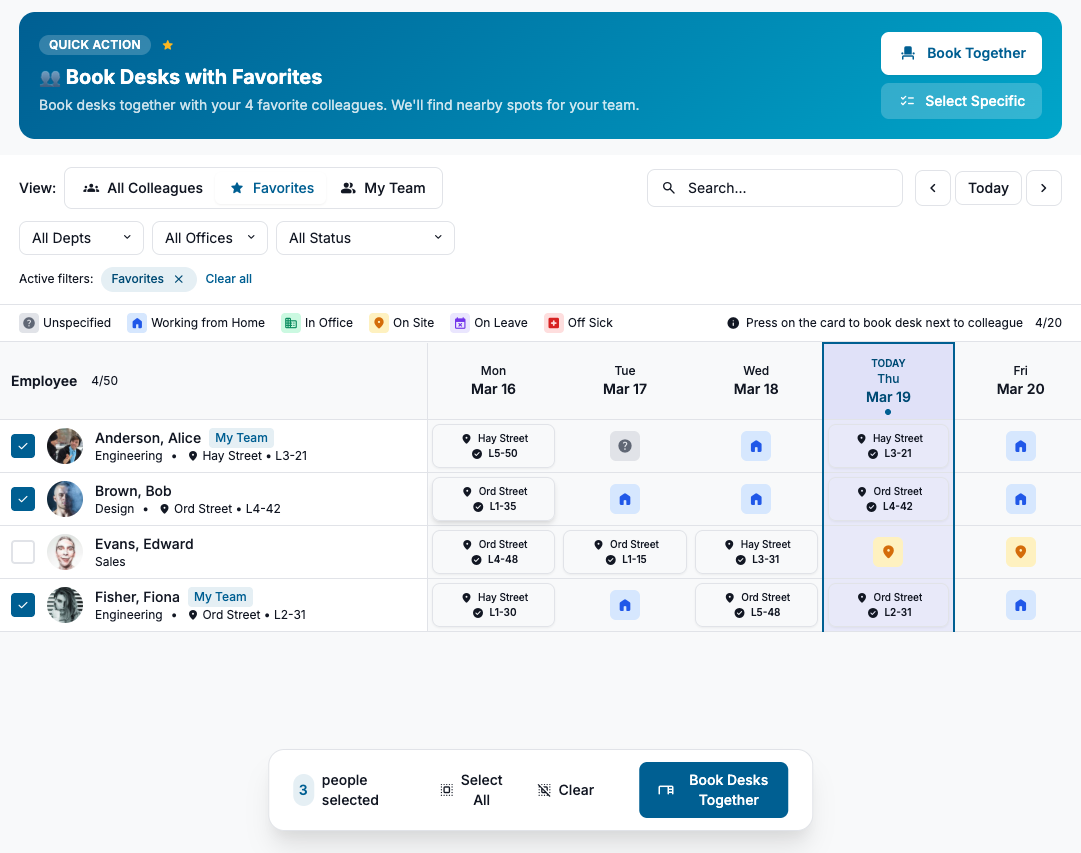
A weekly grid view shows where every team member is booked or working — in office, on site, working from home, on leave, or off sick. Managers and team members can find colleagues and book desks near them.
- View All Colleagues, Favourites, or My Team
- Filter by Department, Office, and Status
- Status indicators: WFH, In Office, On Site, On Leave, Off Sick
- Book a desk next to a colleague in one click
All your bookings, one place.
The “Your Bookings” view consolidates every reservation — rooms, desks, parking, visitors, lockers, and events — into a single calendar with Day, Week, and List views. Filter, edit, or cancel any booking with a tap.
- Day, Week, and List view modes
- Monthly calendar for quick date navigation
- Today and Next Monday quick-jump buttons
- Toggle visibility by type: Rooms, Desks, Parking, Visitors, Lockers, Events
- See count per category at a glance
- Clear all filters with one tap
- Edit booking details inline
- Cancel or delete bookings
- View full booking details with location and floor
No gap between the experience.
The most important things WorkMate does are invisible. Behind every tap, every booking, and every check-in is a layer of workflow automation that connects boom gates, elevators, access control, sensors, AV, and HVAC into a single, seamless experience — so the building responds to people, not the other way around.
When an employee books a desk, they don’t think about the parking bay being reserved, the boom gate being authorised, the elevator being called to their floor, the locker being unlocked, the HVAC adjusting for occupancy, or the lighting turning on in their zone. They just arrive — and everything works. That’s what the platform does.
Boom Gates
Authorise vehicle entry based on parking bookings and shift schedules
Elevators
Dispatch lifts to the correct floor based on check-in and booking data
Access Control
Unlock doors and zones at booking start; re-lock when unoccupied
HVAC & Lighting
Adjust climate and lighting to match real-time occupancy patterns
AV Systems
Power on displays, set inputs, and configure audio when meetings begin
Sensors
Occupancy, air quality, and environmental sensors feed live data back to the platform
The smarts live in the platform
WorkMate’s intelligence isn’t locked inside the interface — it lives in PlaceOS, the platform underneath. Every integration driver, every automation rule, and every workflow runs at the platform level. This means the logic that controls your building systems exists independently of any single application.
The result: you can change, replace, or add interfaces without rewiring the automations that make your building work. The interface is a window into the platform, not the brain of it.
Decoupled interface, shared integrations
Because the interface is decoupled from the platform, it can scale independently, be customised per tenant or campus, and evolve with your needs without touching the integration layer. Different user groups can have entirely different interfaces — a kiosk for visitors, a mobile app for employees, a dashboard for facilities — all sharing the same integrations, the same data, and the same automation rules.
- Scale the interface independently of the platform
- Customise per building, campus, or tenant
- Run multiple interfaces on shared integrations
- Swap or redesign the UI without re-integrating systems
- White-label for different brands or business units
Employee books
Desk, room, or parking via WorkMate
Platform orchestrates
Triggers access, HVAC, AV, elevator & lighting
Building responds
Systems activate before the employee arrives
Sensors confirm
Occupancy and environment data flows back
Platform adapts
Auto-releases, adjusts climate, reports usage
Concierge & admin tools.
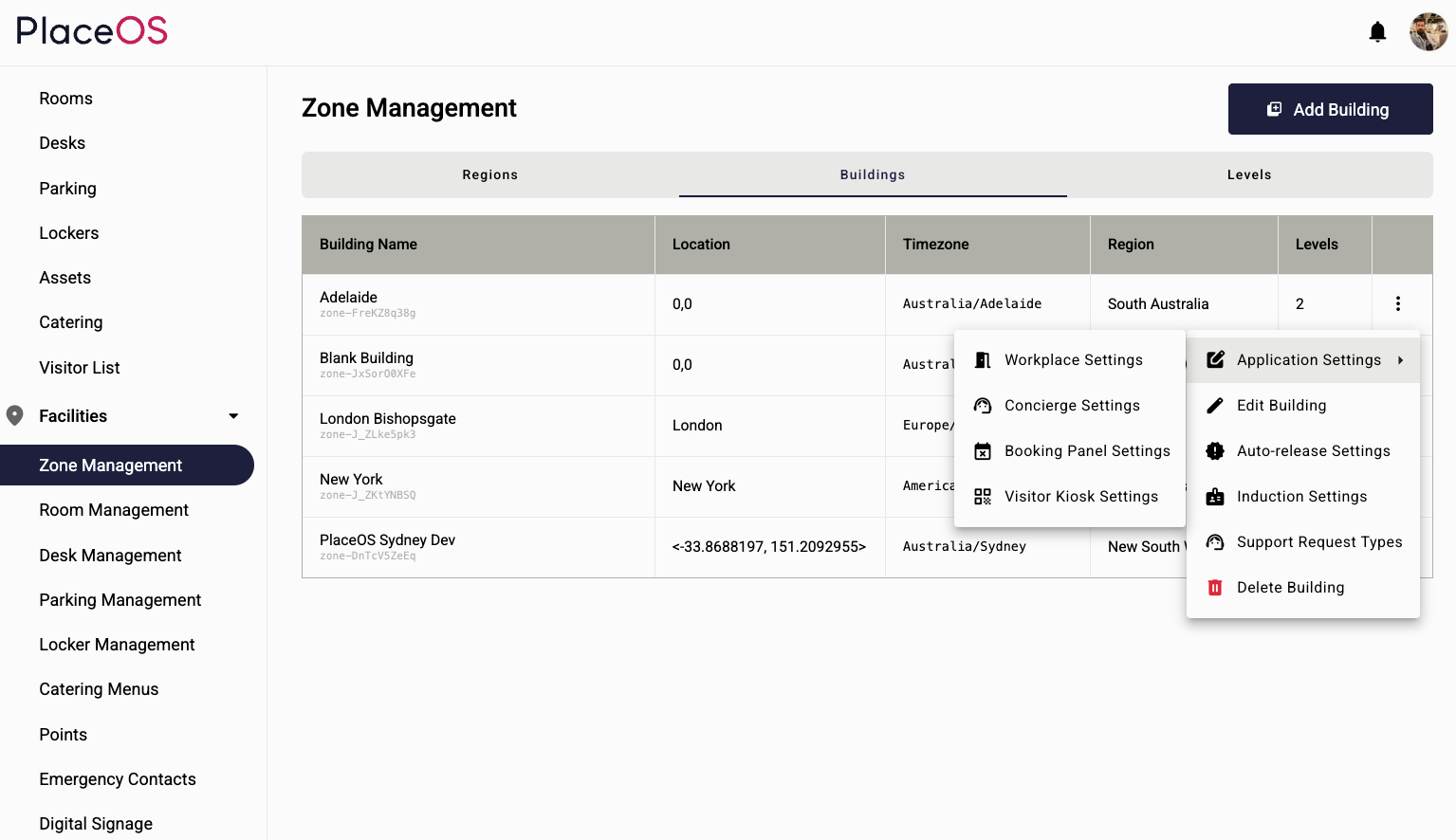
Behind every great employee experience is a powerful admin layer. WorkMate’s Concierge Interface gives workplace managers full control over settings, policies, and reporting.
- Manage app settings: roles, access levels, features & branding
- Approve, reallocate & view booking details
- Facilitate asset & catering requests
- Manage asset catalogue, catering menu & room allocation rules
- Manage & facilitate visitors
- Rules on spaces: release times, group policies, capacity
- Usage reports & insights
- Create email templates with dynamic triggers
- Manage, send & view survey reports; trigger surveys on actions
- Auto-add external meeting attendees to visitor management
- Control AV, lighting & HVAC based on booking status
- Auto check-in to rooms via location tracking (Wi-Fi, camera or sensor)
- Link access control to bookings (unlock on start, lock on end when unoccupied)
- Room booking & information panel — runs on any web-enabled hardware
- Visitor Check-in Kiosk — scan QR from welcome email or search name; print badges
- Workflow Kiosks — live room/desk availability on floor plan; ad-hoc bookings
Integrated AI that works your way.
WorkMate is built on PlaceOS — an AI-agent-ready platform where intelligence isn’t confined to hardcoded applications. This means AI can be integrated into the workplace experience at every level, whether you bring your own AI or use ours.
Integrate with Your AI
Already invested in an enterprise AI stack? WorkMate’s open platform exposes every function of every integration driver to your AI agents. Your existing LLM — whether it’s Azure OpenAI, Google Gemini, AWS Bedrock, or a private model — can tap directly into PlaceOS to book rooms, manage visitors, control building systems, and automate workflows without custom development.
We Host the AI Assistant
Don’t have an AI strategy yet? No problem. PlaceOS can deploy a fully managed AI workplace assistant integrated directly into WorkMate. Powered by leading LLMs and fully compatible with Azure API, the assistant handles natural-language room and desk booking, answers workplace questions, and automates routine tasks — all without employees needing to learn a new interface.
Hybrid Approach
Many organisations benefit from a combined model: a PlaceOS-hosted assistant for frontline employees, integrated with the organisation’s own AI platform for deeper analytics, predictive space planning, and cross-system automation. This gives you the best of both worlds — immediate productivity gains plus long-term strategic AI capability.
AI Agent Capabilities
Because PlaceOS is a platform, not a rigid application, AI agents can leverage hundreds of integration drivers to perform complex tasks across multiple building systems. An agent can decide when to call any function — booking a room, adjusting HVAC, unlocking a door, sending a visitor notification — without this logic needing to be programmed into a specific application.
Third-Party AI Development
Developers and system integrators can create their own AI agents tailored to specific industries or business needs using PlaceOS as the foundation. Whether it’s aged-care facility management, university campus coordination, or retail space optimisation, the platform’s open architecture supports bespoke AI solutions that leverage real building data.
Computer Vision & Object Recognition
PlaceOS AI includes object recognition capabilities for real-time monitoring: identifying left-behind items, tracking occupancy patterns, enhancing security, and streamlining cleaning workflows. Emergency personnel identification ensures fire wardens and first-aid officers are always accounted for.
Enterprise AI Blueprint
For organisations ready to go further, PlaceOS offers an Enterprise-Wide AI Blueprint consulting engagement covering campus AI architecture, integration and data mapping, LLM stack strategy, use-case and workflow definition, and security, permissions, and governance modelling — replacing fragmented assistants with a scalable, organisation-wide solution grounded in real building data.
WorkMate walkthrough.
Ready to see WorkMate in action?
Schedule a personalised demo and discover how WorkMate can transform your workplace experience — with or without AI integration.