Input
Example
Energy
Occupancy
Room 04.218 · 0 people
PlaceOS is the platform to automate rooms, buildings, campuses and digital displays. Use our products or build your own with our APIs.
Energy
Room 04.218 · 0 people
One programmable layer across every system.
Energy
22° → 26°C
Ready-to-use products for your people, rooms and displays. All powered by the same PlaceOS integration platform.
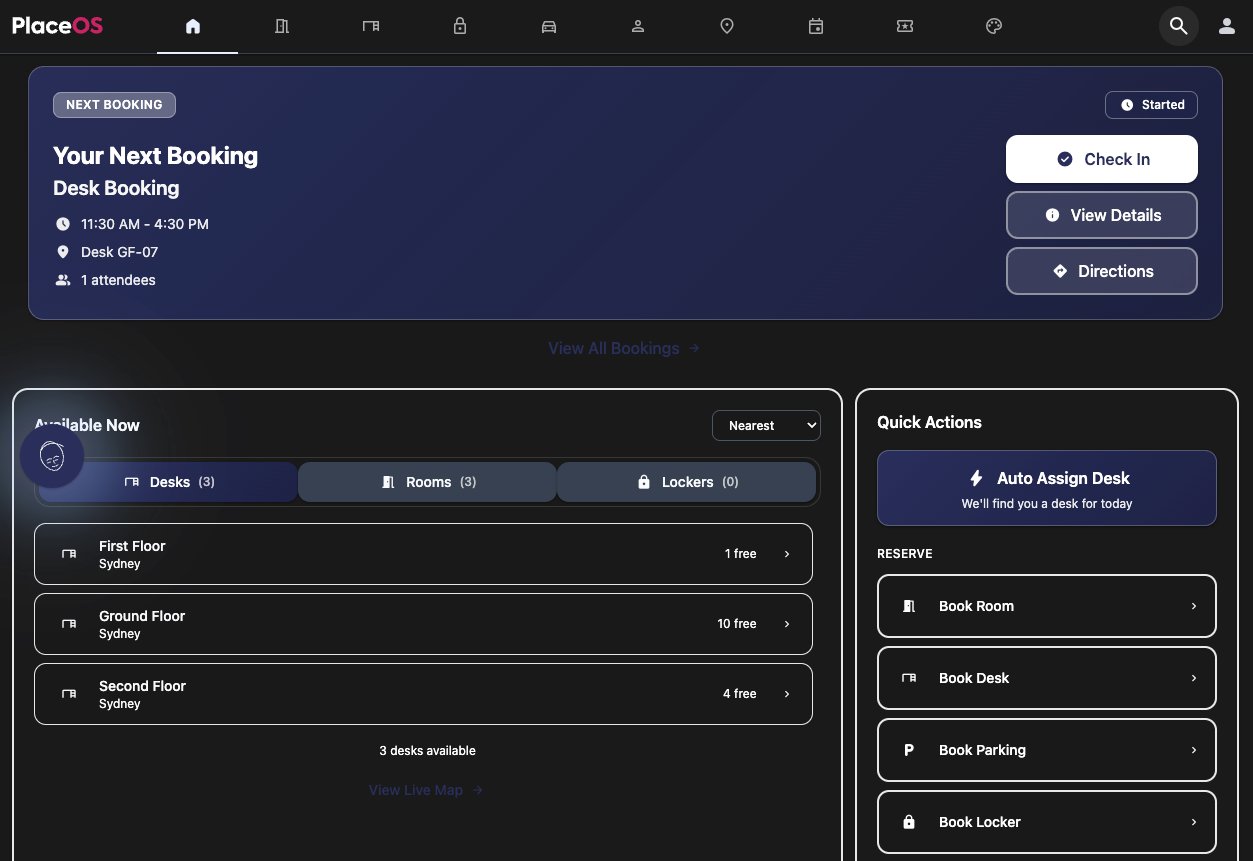
Book rooms, desks, and spaces. Navigate your building. Manage visitors. A single app that connects people to everything in their workplace.
Learn more →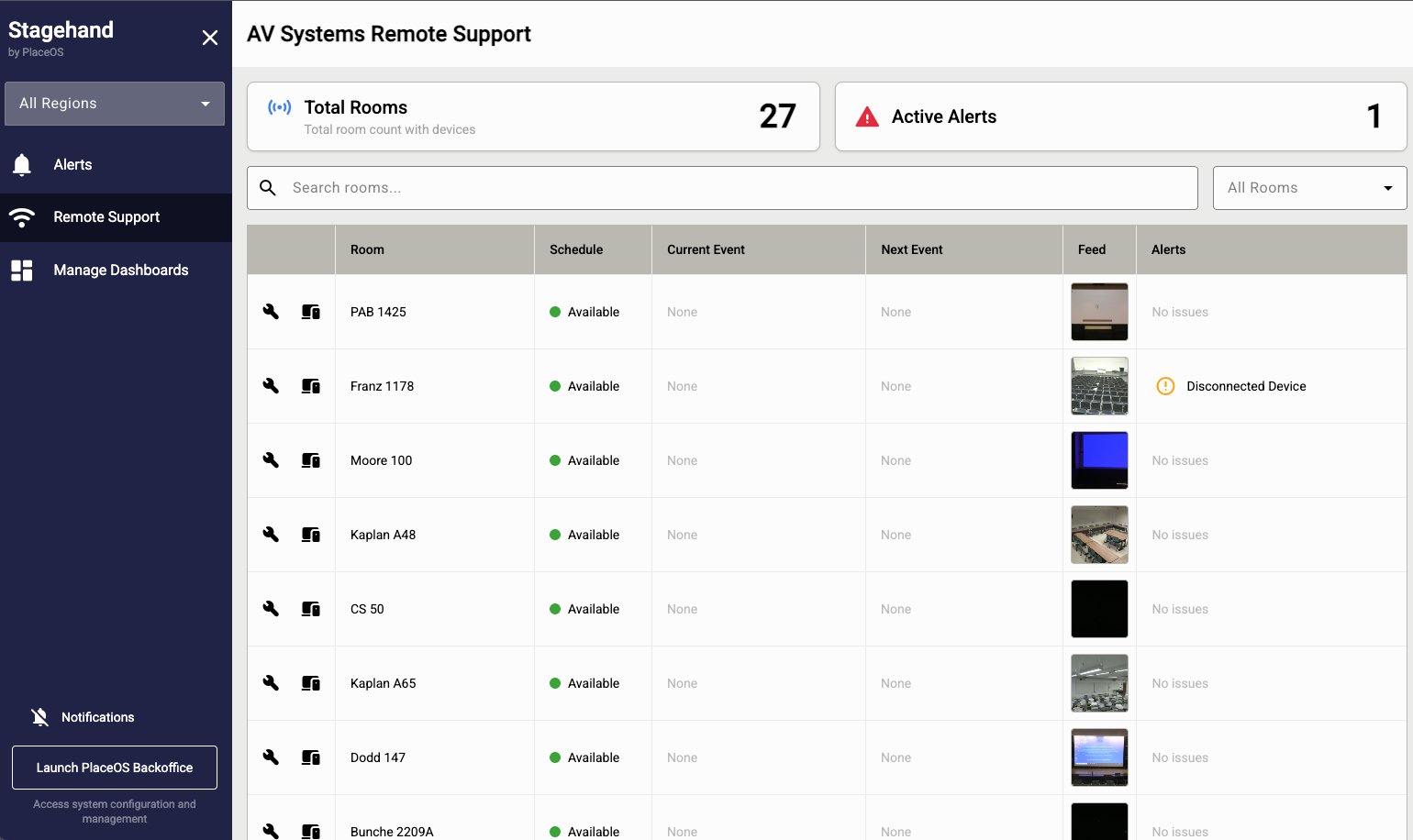
One-touch meeting start. Automated AV routing. Intelligent room modes. StageHand makes AV systems invisible and meetings effortless.
Learn more →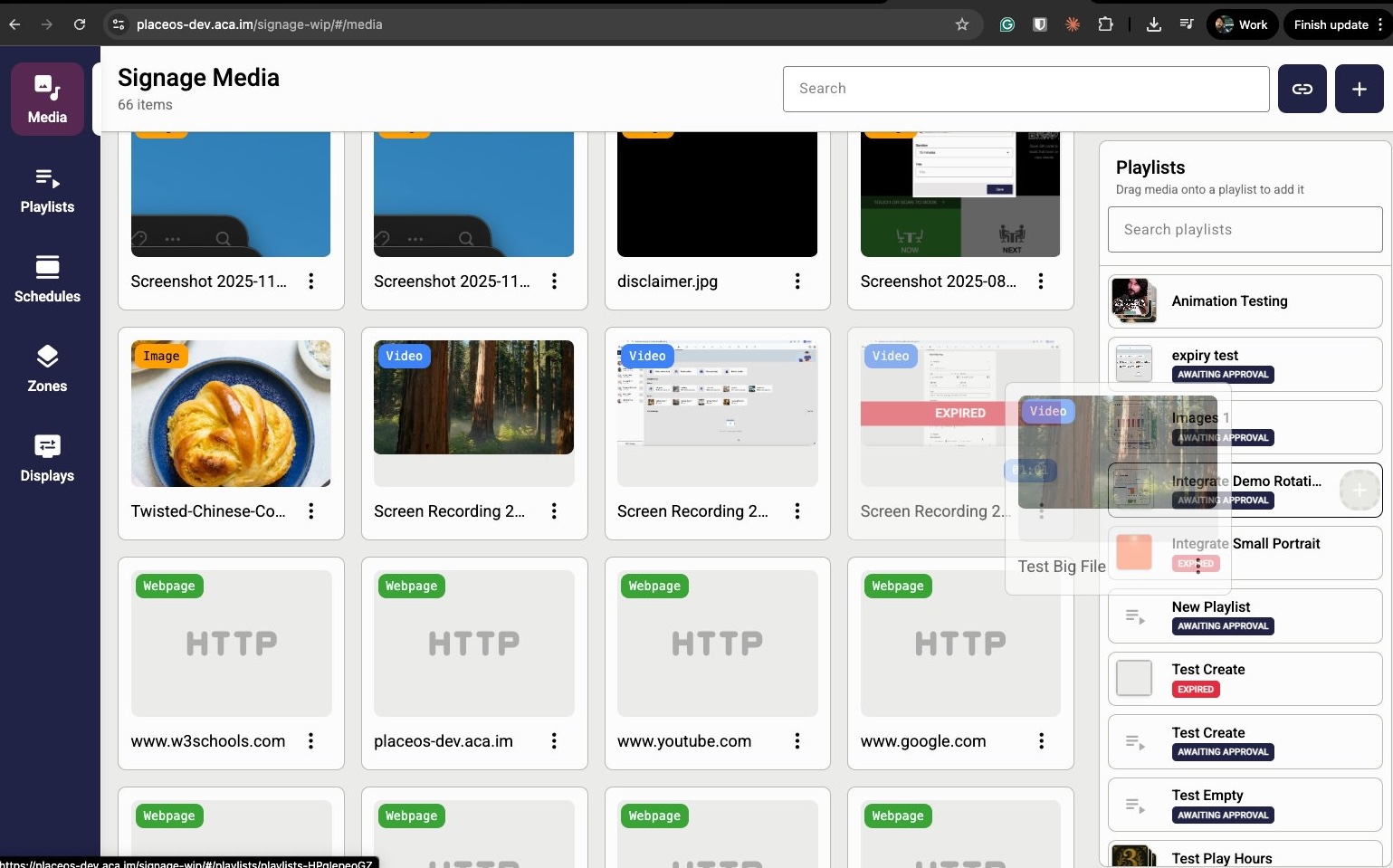
Live building data, automated content, and AI-driven displays — moving beyond playlists to make signage a key part of your building's experience.
Learn more →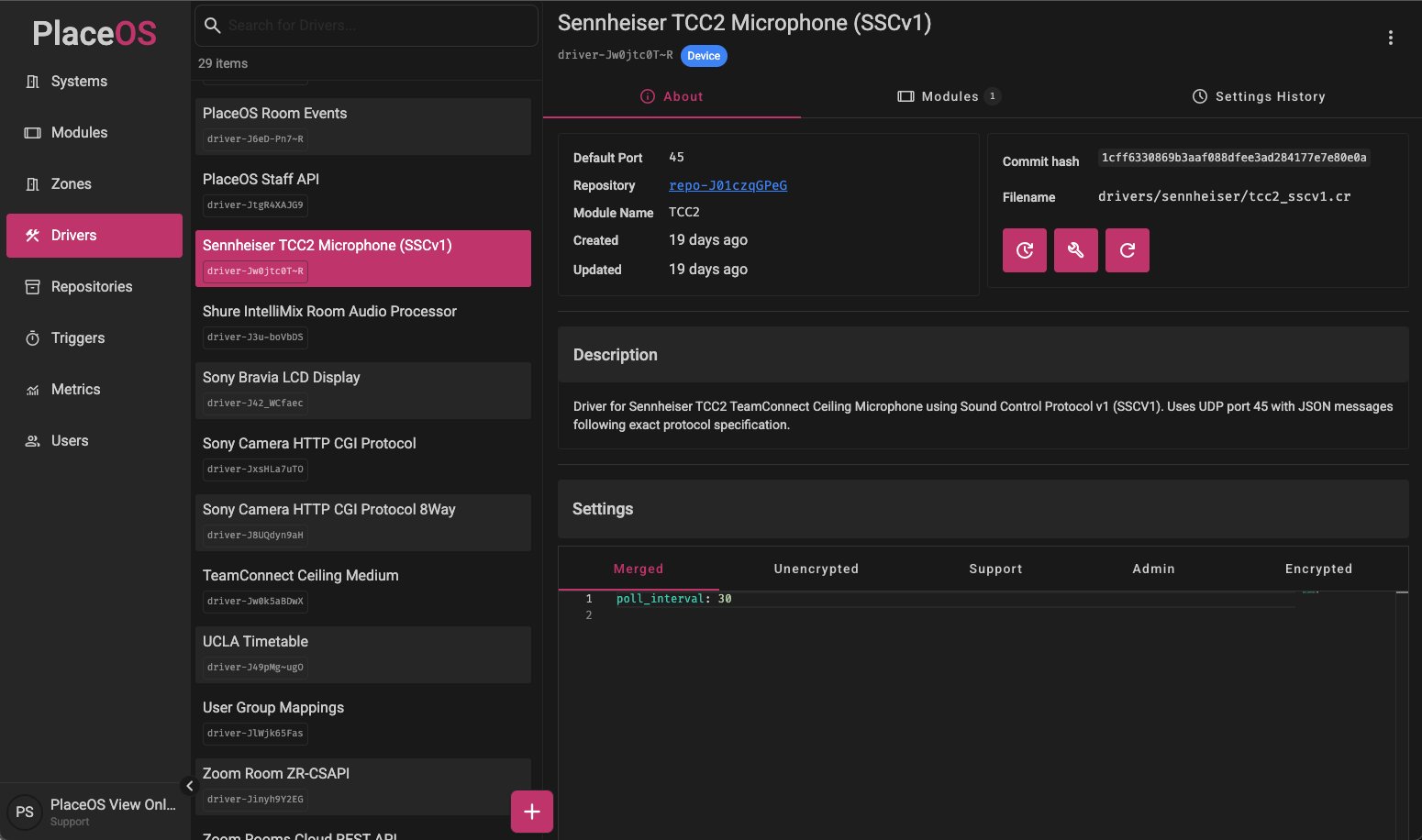
Configure automations, view analytics, manage integrations, and monitor your building estate — all in one dashboard.
Learn more →Your product does not have to start with ours. Use the PlaceOS APIs to build your own apps, interfaces and automations on top of a connected building—with your brand and your user experience.
Explore the API docs →PlaceOS drivers connect systems such as AV, HVAC, access control, sensors and calendars. Your applications use the PlaceOS APIs to access those integrations, work with building data and trigger configured actions. New interfaces can share the same integrations and automation rules.
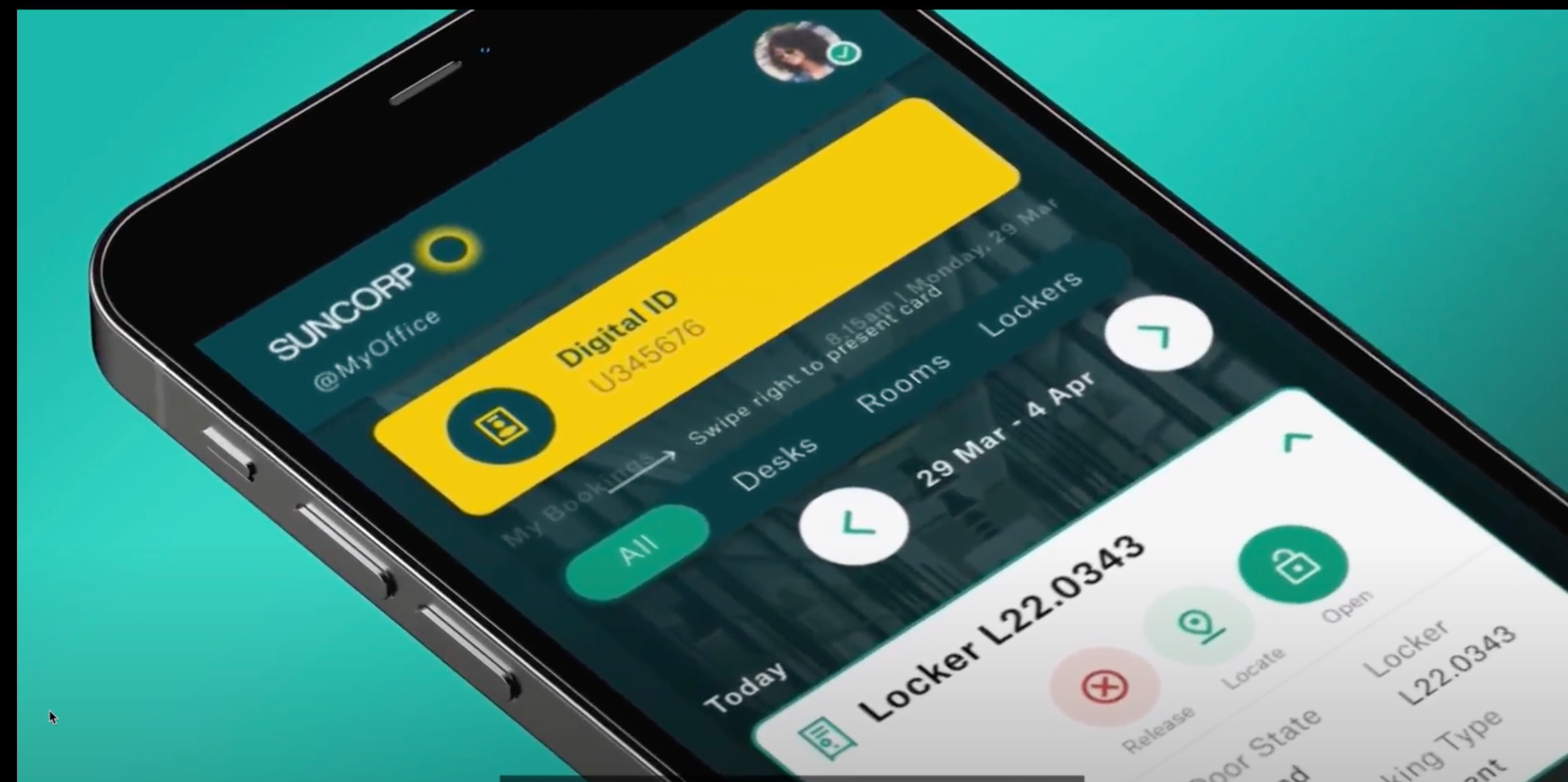
Suncorp
Suncorp connects base-building access control, lockers, desks and rooms through PlaceOS. Access permissions and personalisation follow each employee to their destination. One experience, multiple integrations.
PlaceOS connects the employee's digital identity with the systems behind each space. From entering the building to using a locker or booked workspace, the same identity brings the right access and personal settings with it.
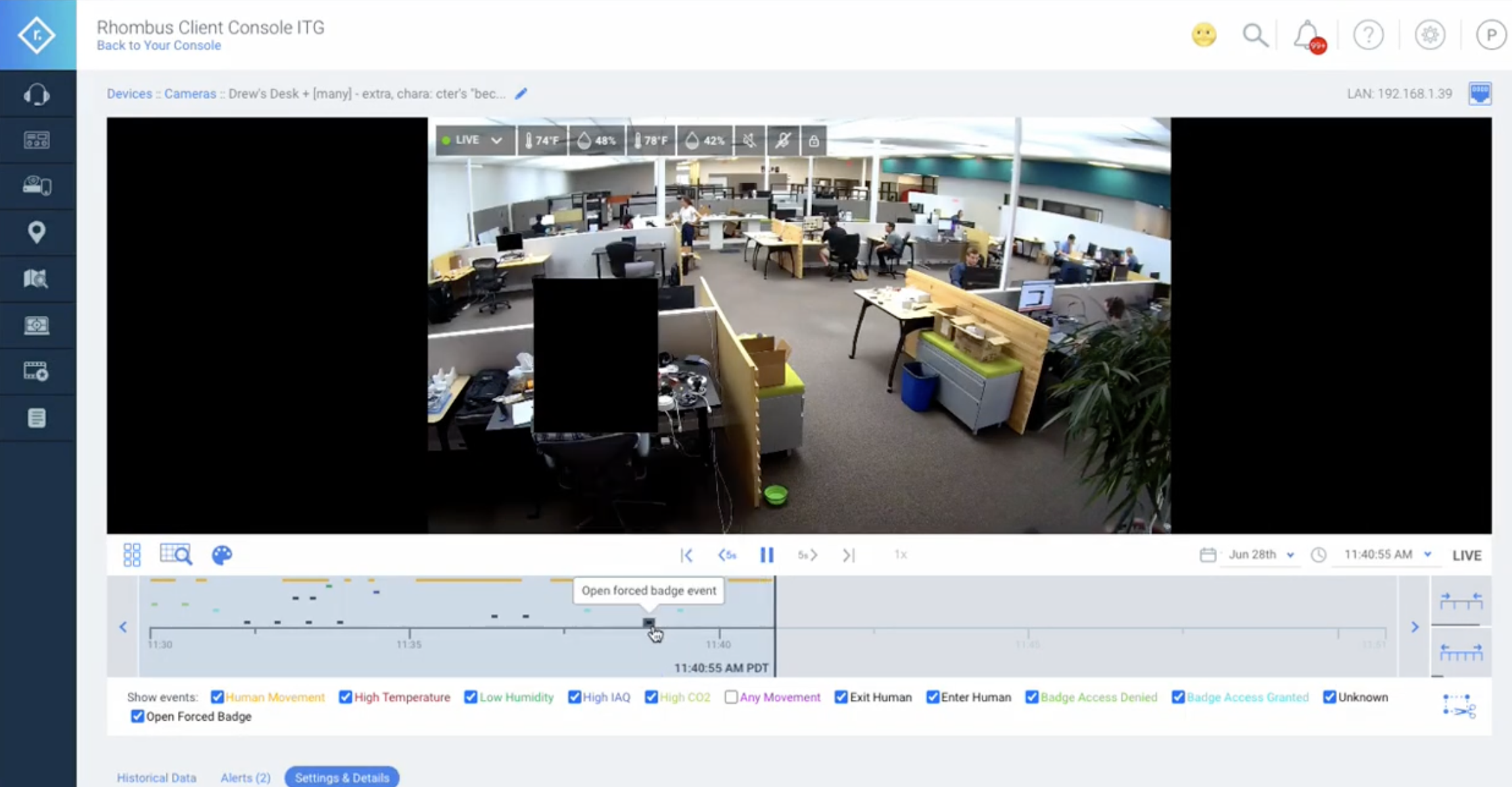
Charles Darwin University
Charles Darwin University uses PlaceOS to add swipe-card events from access control to Rhombus video playback. Security teams can see access events alongside the footage, without switching between disconnected systems.
PlaceOS takes events from the access-control system and writes them to the Rhombus video timeline. Two systems that cannot communicate directly now share useful context for incident review. This event-labelled footage can also support computer-vision model training.
Discuss a similar integration →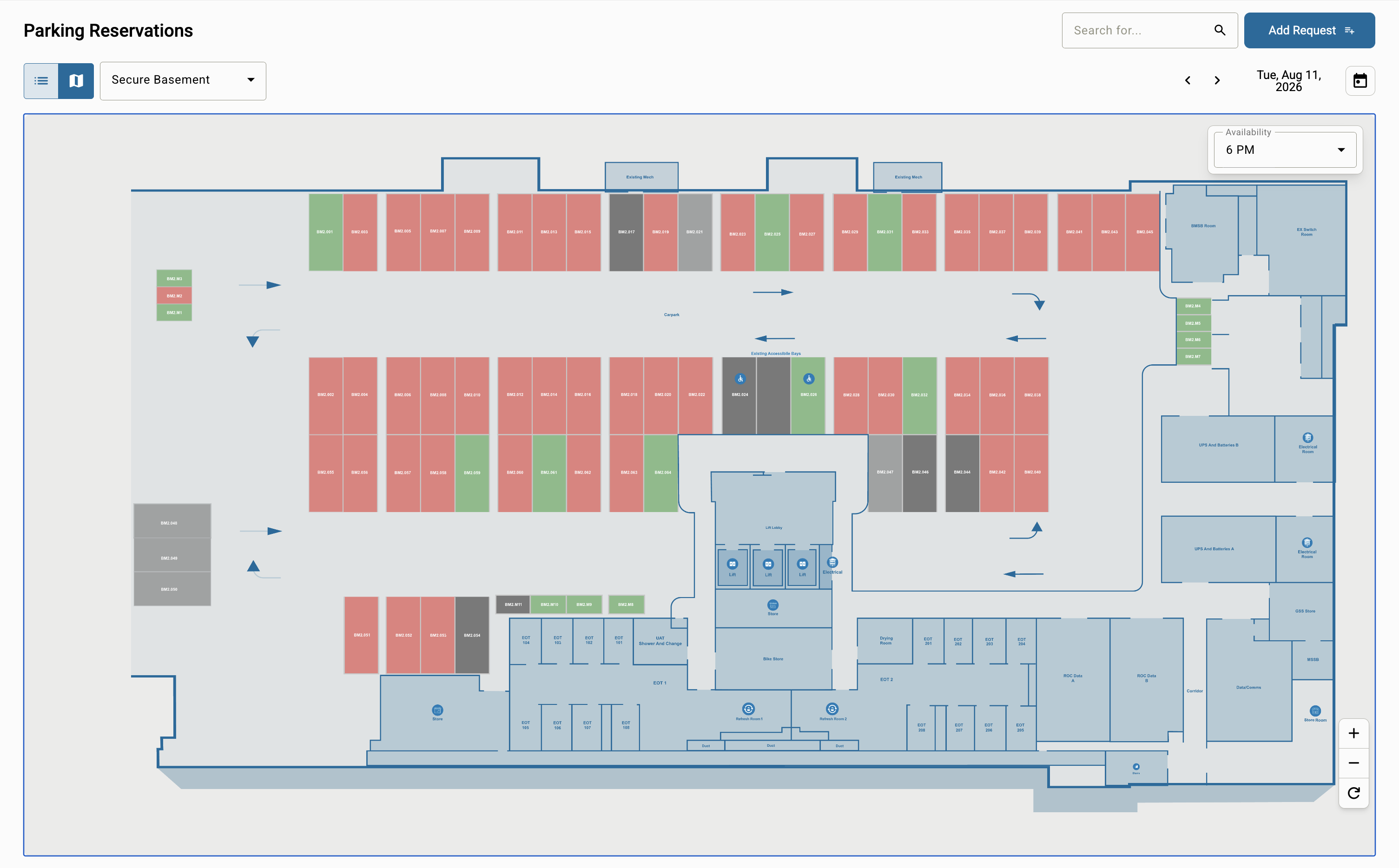
Leading Australian mining company
PlaceOS matches employees to parking priority levels and automatically allocates spaces to those who need them most. On arrival, an access-control integration opens the boom gate.
Employee priority levels become parking allocation rules. PlaceOS connects those rules, space assignments and arrival access into one workflow—from deciding who gets a bay to letting them into the car park.
Explore workplace booking →Connect occupancy to HVAC so empty rooms do not run on occupied settings. Configure vacancy rules in PlaceOS and use your existing sensors and building systems. Results depend on your building, equipment and operating patterns.
Adjust the illustrative inputs to match your building. Use HVAC energy, not total building energy.
Enter valid non-negative inputs and a reduction between 0 and 100%.
Scenario, not a forecast or guarantee. Defaults are examples, not customer averages. Energy saved = area × annual HVAC energy per m² × reduction. Cost saved = energy saved × tariff. Excludes implementation costs, demand charges and taxes. Currency selection changes the label only; enter your local tariff.
Discuss this scenario →Choose a product or tell us what you'd like to build. We'll help you find the right starting point.