01 / Ready to go
Turn-key SaaS WorkMate
A ready-made workplace experience for room, desk and visitor bookings. Start with WorkMate and configure the services and integrations your organisation needs.
Start with WorkMate →Start with WorkMate, create a bespoke experience, or combine the two. PlaceOS connects the systems behind your workplace so bookings, services and building automation can work together.
A ready-made workplace experience for room, desk and visitor bookings. Start with WorkMate and configure the services and integrations your organisation needs.
Start with WorkMate →Build your own interfaces and workflows on PlaceOS. Shape the experience around your people, business logic and existing systems using the platform’s APIs.
Make it your own →Use WorkMate as your starting point, then add custom features, new interfaces or workflows. Keep the familiar experience while extending what it can do.
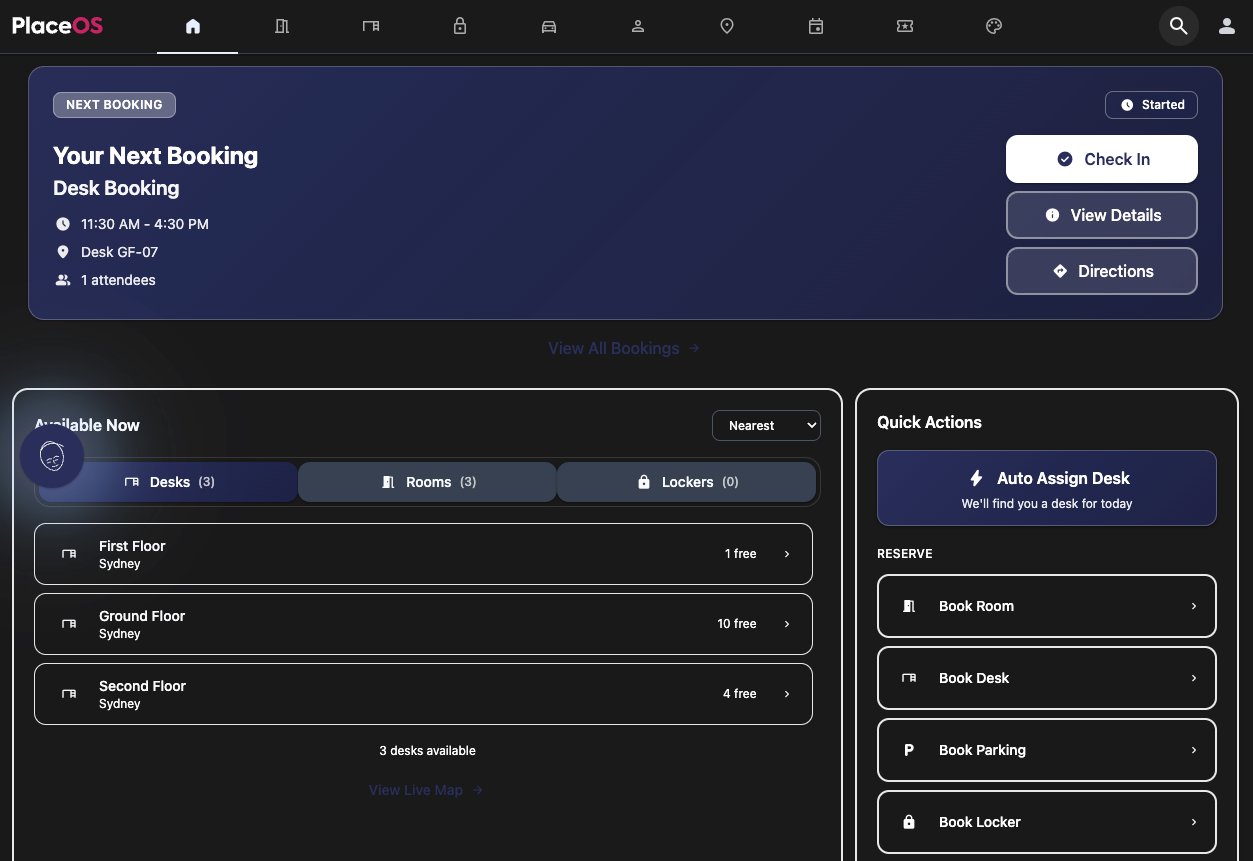
Extend WorkMate →WorkMate brings everyday workplace services into one experience. Find and book rooms and desks, coordinate visitors, check availability and navigate the workplace. Connect the booking to the services and systems that make the space ready.
Keep WorkMate where it fits, and build around the parts that make your organisation different. The experience and integration layer are separate, so new interfaces can use the same connected systems and data.
Apply booking policies, eligibility, approvals and resource-allocation rules that reflect how your workplace operates.
Add a visitor kiosk, a facilities dashboard or a focused employee experience. Use PlaceOS APIs to build and customise the interfaces you need.
Connect a booking or occupancy event to the next task: cleaning, room preparation, service notifications or building automation.
Custom features and integrations are scoped to your requirements. These examples describe configurable workflows, not features included in every SaaS plan.
Use Backoffice to configure and manage the integrations and automation behind your workplace. Combine booking information with occupancy signals to prepare a room before it is needed, or set back HVAC, lighting and AV when it is empty.
On quieter days, booking rules can direct people towards selected areas so unused zones can be turned down. Cleaning workflows can respond to actual use rather than treating every space the same.
Keep operating hours, essential services, comfort requirements and manual overrides in the logic. Actions depend on the systems connected and the rules you choose.
Explore occupancy and energy workflows →Bring meeting-room controls, remote AV support and workplace communications into the same integration platform.

Give people a consistent way to control displays, sources and audio. Connect room preparation and shutdown to bookings and occupancy.
Explore AV control →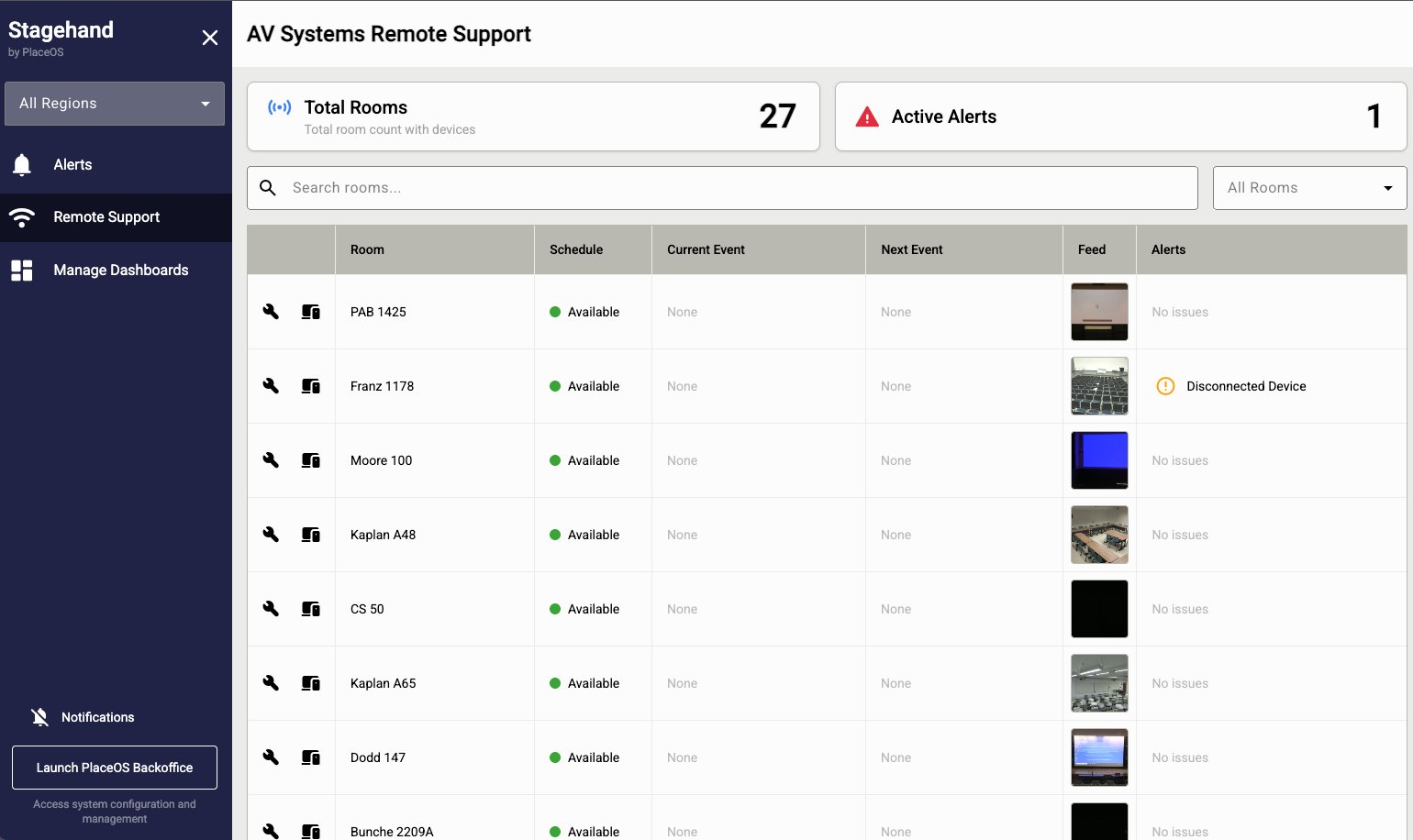
Help support teams see room and device status, investigate alerts and assist users remotely across the workplace.
Explore StageHand →
Manage content, playlists and display schedules. Use connected information and automation to keep workplace screens relevant.
Explore Digital Signage →PlaceOS acts as middleware between systems that do not communicate directly. Manage integrations through Backoffice, normalise incoming data and use it to trigger actions in another system.
You do not have to replace your existing booking system to add a new workplace experience. Integrate with supported booking platforms, choose the PlaceOS features you need, or have bookings and connected workflows managed through PlaceOS.
Define which system owns each booking and how updates are shared. Supported APIs and integration scope determine what can be read, written and automated.
Explore Backoffice →Give people a consistent workplace experience across your portfolio, even when the systems behind each building are different.
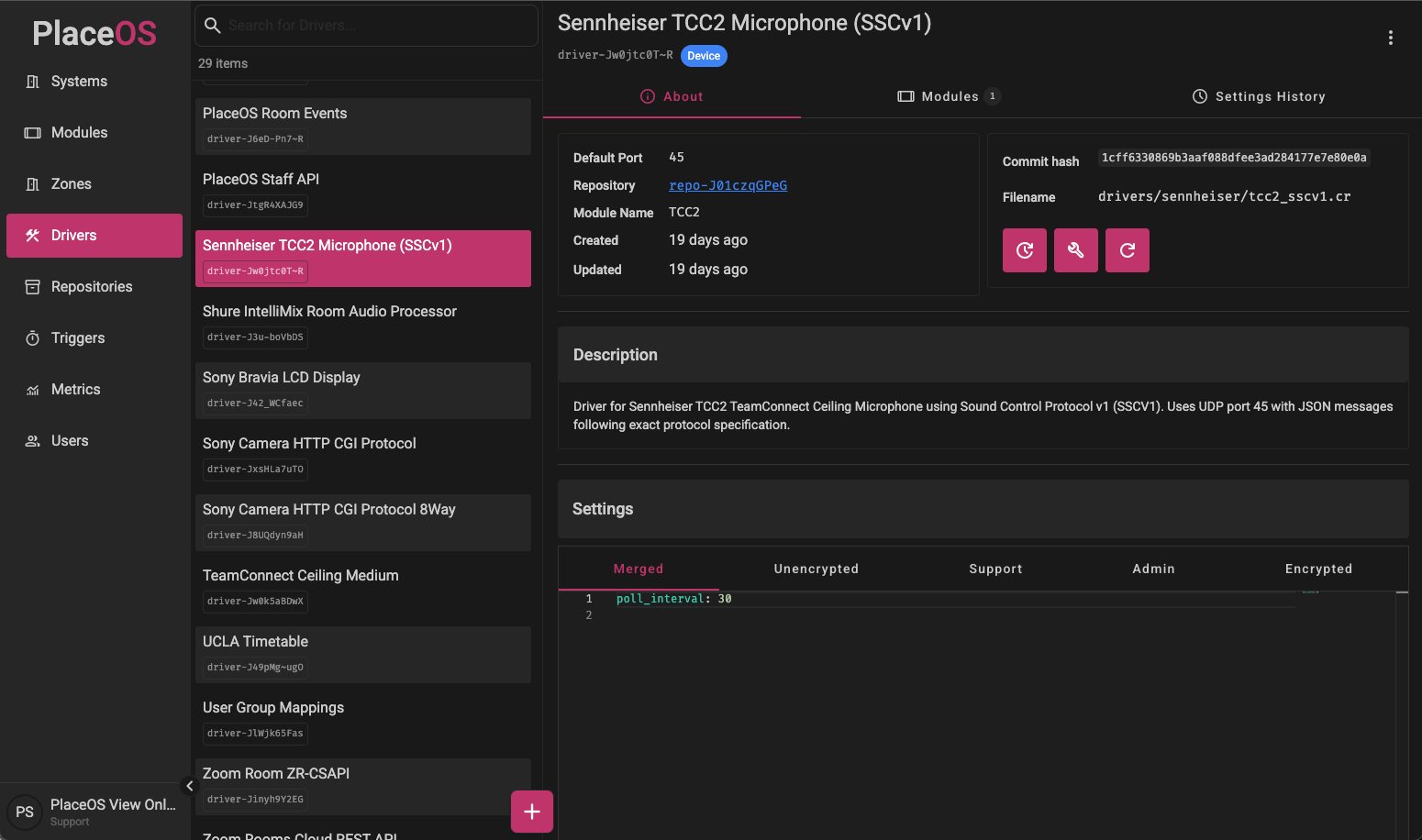
One office might use a different access-control vendor, lighting system, BMS or AV setup from the next. PlaceOS supports the vendor-specific integrations underneath, then normalises how those systems are exposed to the experience on top.
People can use the same booking and workplace interfaces across locations without needing to know which hardware is installed. Keep the experience consistent while allowing local permissions, policies and operating rules to vary.
Tell us what you already use and what you want to improve. We’ll help you choose WorkMate, a bespoke experience, or a combination that fits your workplace.
Talk to us about your workplace →